How AI scheduling software reduces manual updates on active projects
.svg)
Quick Summary
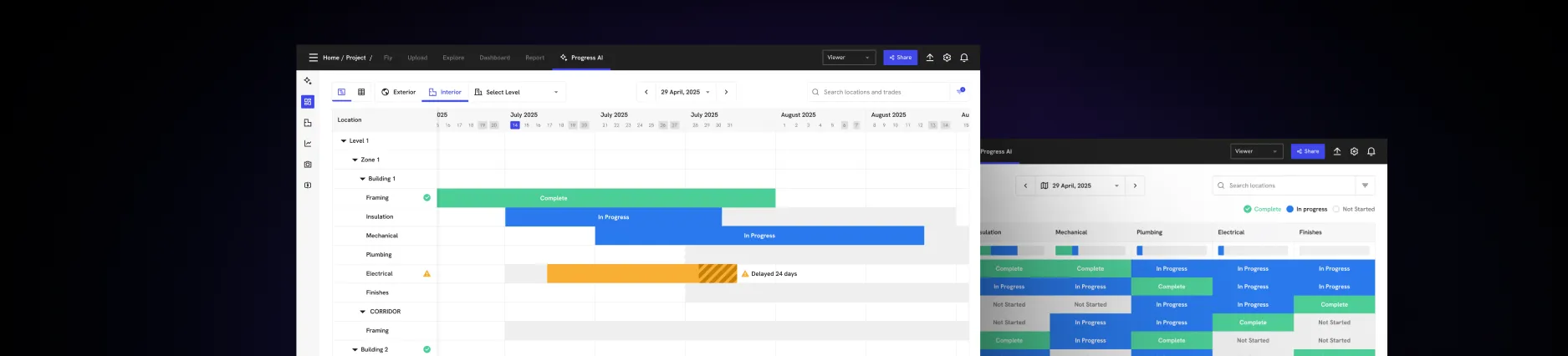
AI construction scheduling software moves planning from static Gantt charts to dynamic models that automatically optimize resources, run what-if scenarios and flag schedule risks. Platforms like DroneDeploy, ALICE Technologies, Planera and Outbuild connect field data directly to your CPM schedule, so progress updates happen without manual input. This article covers what AI scheduling tools do, why manual updates fall short on active projects and what features matter when evaluating options.
Schedules drift from reality the moment work starts. Field progress moves daily while updates happen weekly, and by the time the schedule reflects actual conditions, decisions have already been made on outdated information. The gap between what's happening on site and what's recorded in your schedule creates coordination problems that compound across trades.
AI construction scheduling software closes that gap by detecting installed work from site imagery and syncing it directly to your CPM schedule. If you're exploring how reality capture fits into your workflow, this article covers how these tools work and what features matter.
It also explains how visual data feeds automated progress tracking. You'll learn what to look for when evaluating options for your projects.
What is AI construction scheduling software
AI construction scheduling software uses machine learning to interpret progress data and adjust project timelines automatically. Instead of waiting for manual percent-complete updates in P6 or MS Project, the system detects installed work from site imagery. It syncs that work to your schedule.
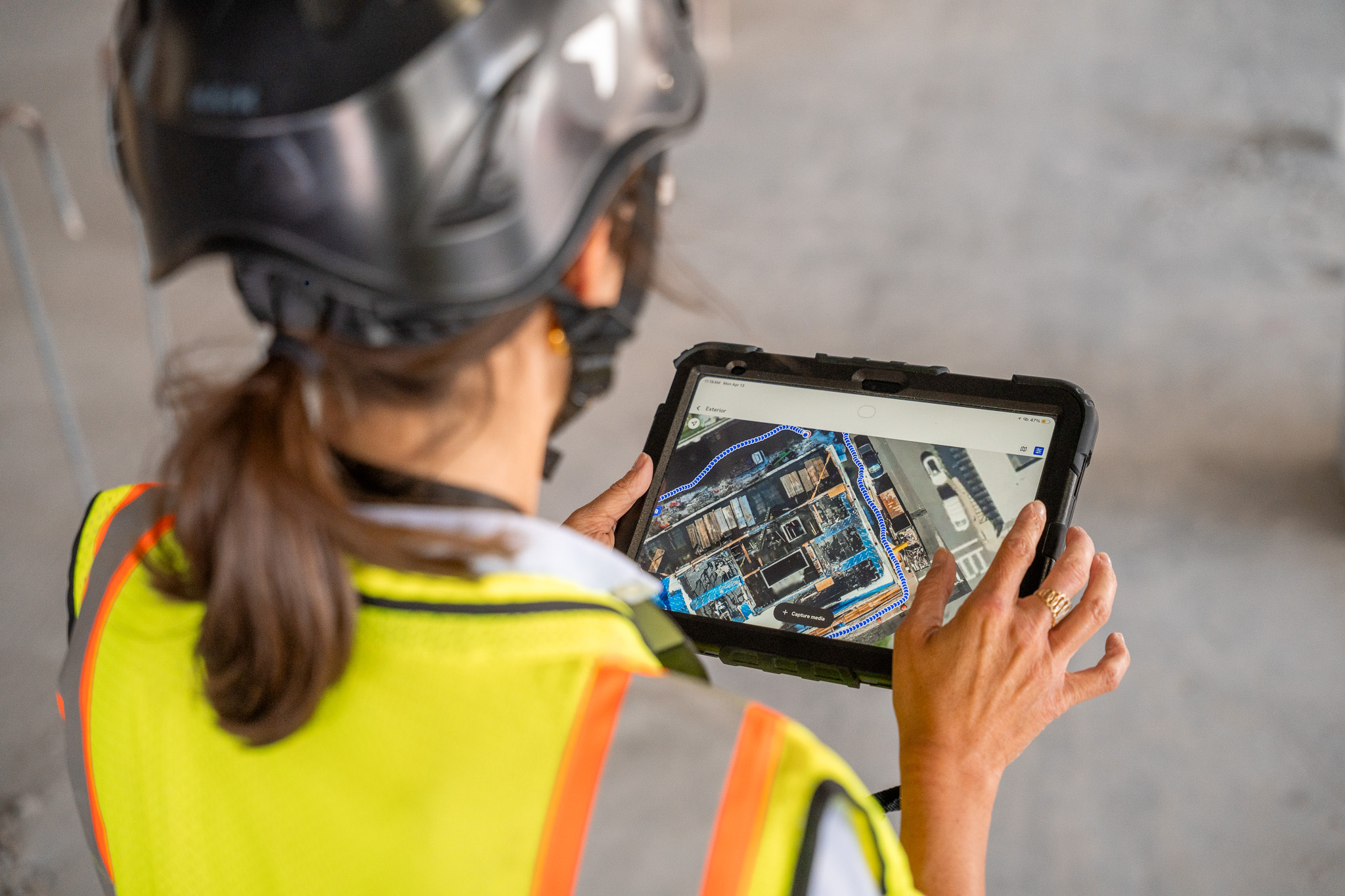
The technology works by analyzing visual data from drone flights, 360 walks or site cameras to identify completed activities by trade.
When the AI recognizes that framing is done on floor three, it updates the corresponding line item without anyone filling out a form. Field conditions drive schedule status rather than the other way around.
Several platforms have emerged to address different aspects of this workflow. For instance, platforms like Outbuild bridges field teams with master schedules through collaborative updates.
- Generative scheduling: AI simulates multiple construction sequences to find optimal paths forward
- What-if scenario modeling: Test acceleration or resource changes before committing crews
- Automated progress detection: AI interprets site data to update percent complete by trade
Why manual schedule updates break down on active jobsites
Lag between field progress and schedule records
Most project teams update schedules weekly at best, while work advances daily. By the time the schedule reflects reality, decisions have already been made on outdated information. A superintendent coordinating concrete pours or steel erection cannot wait five days to know if the critical path shifted.
Subjective percent-complete estimates
Progress often gets reported based on gut feel rather than verified site conditions. One foreman might call rough-in 80% complete while another would say 60% for the same scope. Inconsistencies compound across trades and make it difficult to trust the schedule as a coordination tool.
Disconnected data across systems
Field photos live in one folder, schedules in P6 and daily logs somewhere else entirely. Without connection between photo documentation and scheduling software, the schedule becomes a planning artifact rather than an operational record.
AI scheduling depends on accurate input data, and fragmented documentation makes that difficult to achieve.
How AI automates schedule updates on active construction projects
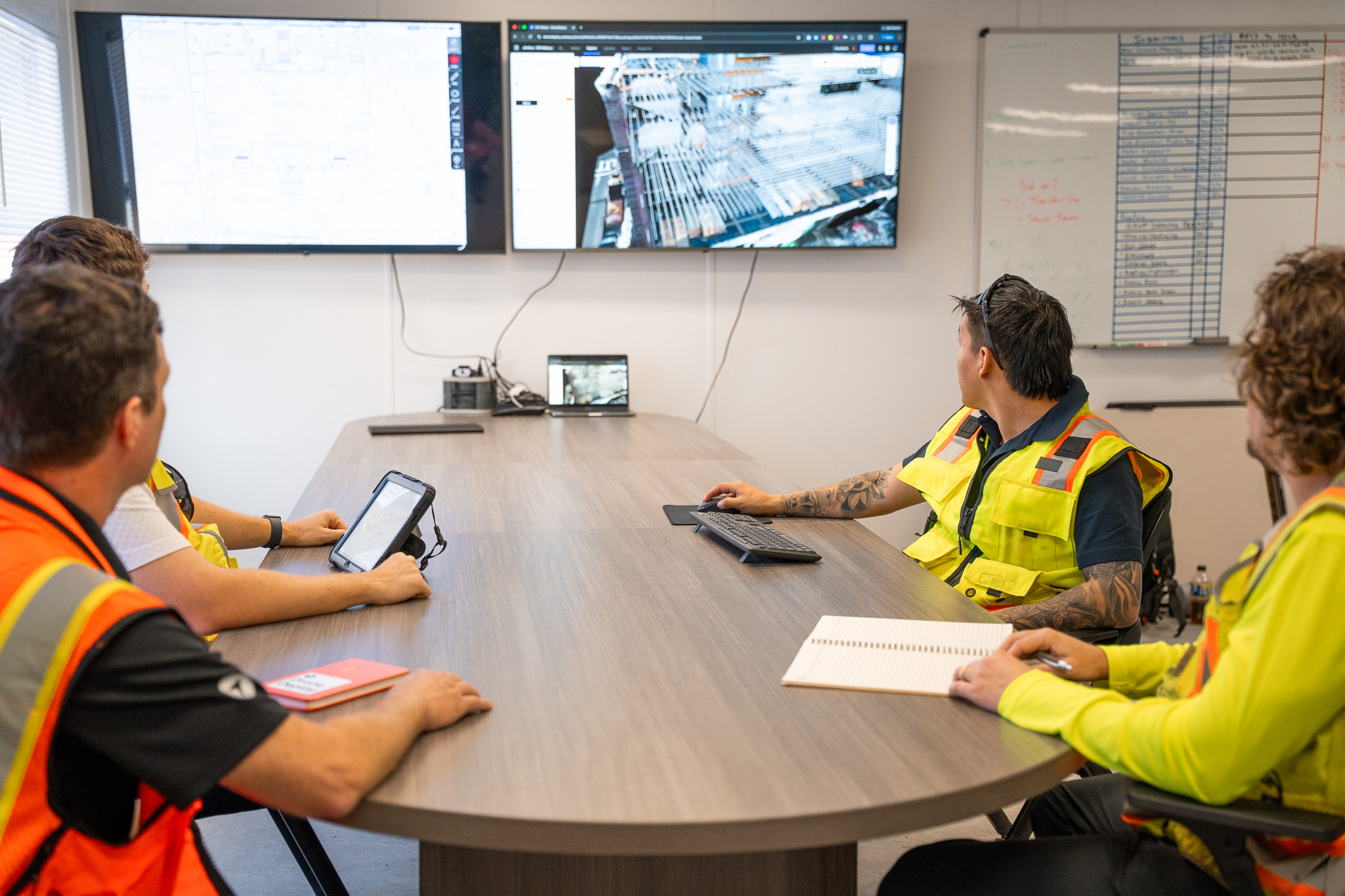
Automated progress detection from site data
AI interprets drone maps, 360 photos and site imagery to identify installed work by trade. The system recognizes framing, MEP rough-in, concrete pours and other activities without manual tagging.
DroneDeploy's Progress AI detects work across 80+ trade types from visual captures, generating structured progress reports within hours of a site walk or flight.
Real-time sync between field conditions and schedules
Detected progress feeds directly into the CPM schedule, updating activity status and recalculating the critical path. The schedule stays current without waiting for weekly update meetings.
When a 360 walk captures drywall installation on floor four, that data connects to the corresponding activity automatically.
Predictive alerts for schedule risks
AI flags activities falling behind before they impact downstream trades. The system identifies sequencing conflicts and resource bottlenecks based on actual site conditions versus planned dates. You see the problem developing rather than discovering it after the fact.
Features to look for in AI construction scheduling software
- Automated progress tracking (Detects installed work from visual data) - Removes manual percent-complete guessing.
- CPM integration (Syncs with P6, MS Project or similar) - Keeps your existing scheduling workflow.
- What-if simulation (Models schedule acceleration or recovery) - Tests options before committing resources.
- Visual comparison (Overlays schedule against site imagery) - Verifies claimed progress against reality.
Automated progress tracking
Automated progress tracking is the foundation of any AI construction scheduling tool. The system detects what work has been completed from site data without requiring manual input from field teams. Look for platforms that recognize specific trades rather than just overall site activity.
See automated progress tracking in action:
Integration with Primavera P6 and Microsoft Project
Most GCs have existing CPM schedules in P6 or MS Project. AI scheduling tools connect to existing platforms rather than replacing them. Bi-directional sync means schedule updates flow back to the master schedule while maintaining logic and constraints.
What-if scenario simulation
Generative AI can model millions of construction sequences to find optimal paths. What-if simulation proves useful for recovery schedules, acceleration scenarios or resource reallocation decisions. You test the impact of adding a second crew or shifting sequence before committing.
How visual progress data feeds your AI construction schedule
AI scheduling tools depend on accurate input data to produce reliable outputs. Aerial maps, 360 walks and site photos become the source of truth that the AI interprets. The quality of your progress detection directly correlates with the quality of your visual documentation.
- Drone maps: Capture earthwork, foundations and exterior progress from above
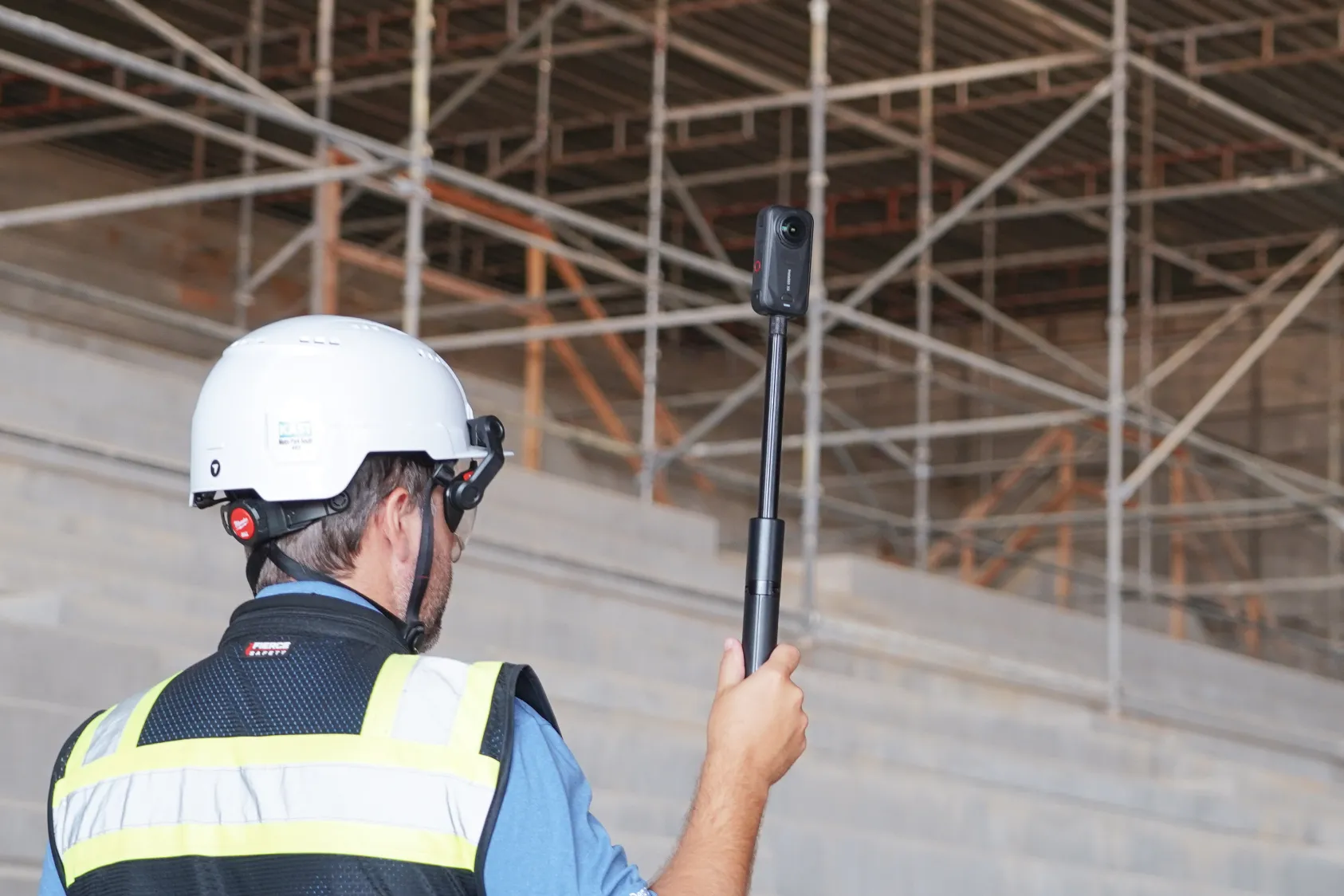
- 360 walks: Document interior framing, MEP rough-in and finishes floor by floor
- Site cameras: Provide continuous timeline of work in specific locations
Progress AI generates structured progress reports from drone flights and 360 captures, showing percent complete by location and trade status by date. Learn more about how AI construction software tracks progress without adding work for field teams.
The visual record becomes the basis for schedule updates rather than relying on verbal reports or manual estimates. This approach creates an auditable trail that ties schedule status to documented site conditions.
How AI scheduling integrates with existing project management tools
Connecting to CPM scheduling platforms
Schedule data flows bi-directionally between the AI system and your existing CPM tool. Updates detected from site imagery sync back to P6 or MS Project, recalculating float and critical path automatically. Your schedulers continue working in familiar software while the AI handles data collection.
Syncing with Procore and Autodesk
Schedule data connects to your project management and BIM platforms. Linking schedule activities to RFIs, submittals and drawings keeps context intact. When an RFI delays a specific activity, that context travels with the schedule update.
Linking reality capture data to schedule activities
Visual documentation gets mapped to specific schedule line items. When a 360 walk captures MEP rough-in on floor three, that data connects to the corresponding activity in the schedule.
The record shows not just that work is complete, but what it looked like when it was captured.
How to evaluate artificial intelligence in construction scheduling
Data input requirements for your projects
Ask what capture methods the platform supports. Some require specific cameras or sensors, while others work with existing photo documentation workflows. Consider whether your field teams already capture imagery that could feed the system.
Integration depth with your current tech stack
Evaluate whether the tool connects to your scheduling software, project management platform and document systems. Surface-level integrations create manual workarounds that defeat the purpose of automation. Look for native connections rather than export/import workflows.
Field team adoption and usability
Consider whether your superintendents and foremen will actually use the tool. Complex interfaces that require training often get abandoned within weeks.
The best AI construction scheduling tools fit into existing workflows rather than creating new ones.
Start reducing manual schedule updates with AI
- Audit your current schedule update process and identify where lag occurs between field progress and schedule records
- Evaluate your existing visual documentation and whether it can feed an AI system
- Review integration requirements with your CPM platform and project management tools
- Request demos from AI scheduling vendors using your actual project data
- Start with a pilot project to test accuracy before portfolio-wide rollout
Ready to see this in action on your projects? Book a demo to see how DroneDeploy's Progress AI turns site captures into structured progress data that feeds your construction schedule. Our team can walk you through integration with your existing CPM platform.
.png)
FAQ
Most platforms can be configured within days to weeks depending on integration complexity. The longer timeline typically involves getting field teams comfortable with new capture workflows rather than technical setup. Starting with a single project helps teams build confidence before expanding to the full portfolio.
Yes. Many AI scheduling tools work from visual data alone and do not require BIM. Having a model improves comparison accuracy, but automated progress tracking functions independently of design files.
The system flags discrepancies for review by the project team. Schedulers can accept, reject or modify AI-detected progress before it updates the official record. The AI provides data while humans make decisions.
No. AI handles data collection and pattern detection while schedulers focus on sequencing logic, resource decisions and stakeholder communication. The technology augments scheduling expertise rather than replacing it.
Related articles

Ready to learn more?
Contact sales to see how DroneDeploy can give your teams the power to document and analyze your sites from the air and ground – all in one AI-powered platform.