Spring 2026 Customer Appreciation Release
.svg)
Quick Summary
Twice a year, we run Customer Appreciation Week.
For five days, most of our engineering team sets the roadmap aside and works only on the small, customer-voted improvements that usually wait their turn behind bigger investments, like Ground Pro launching this summer and our recent release of Aerial Pro.
This release showcases the latest features developed during Spring Customer Appreciation Week. These are the quality-of-life updates across Aerial, Ground and Ground Mobile that you've been telling us were important.
Thank you for telling us what matters to you the most. Use the headers on the left to jump to whichever updates you're interested in.
Aerial
Improved elevation calibration for RTK/PPK maps
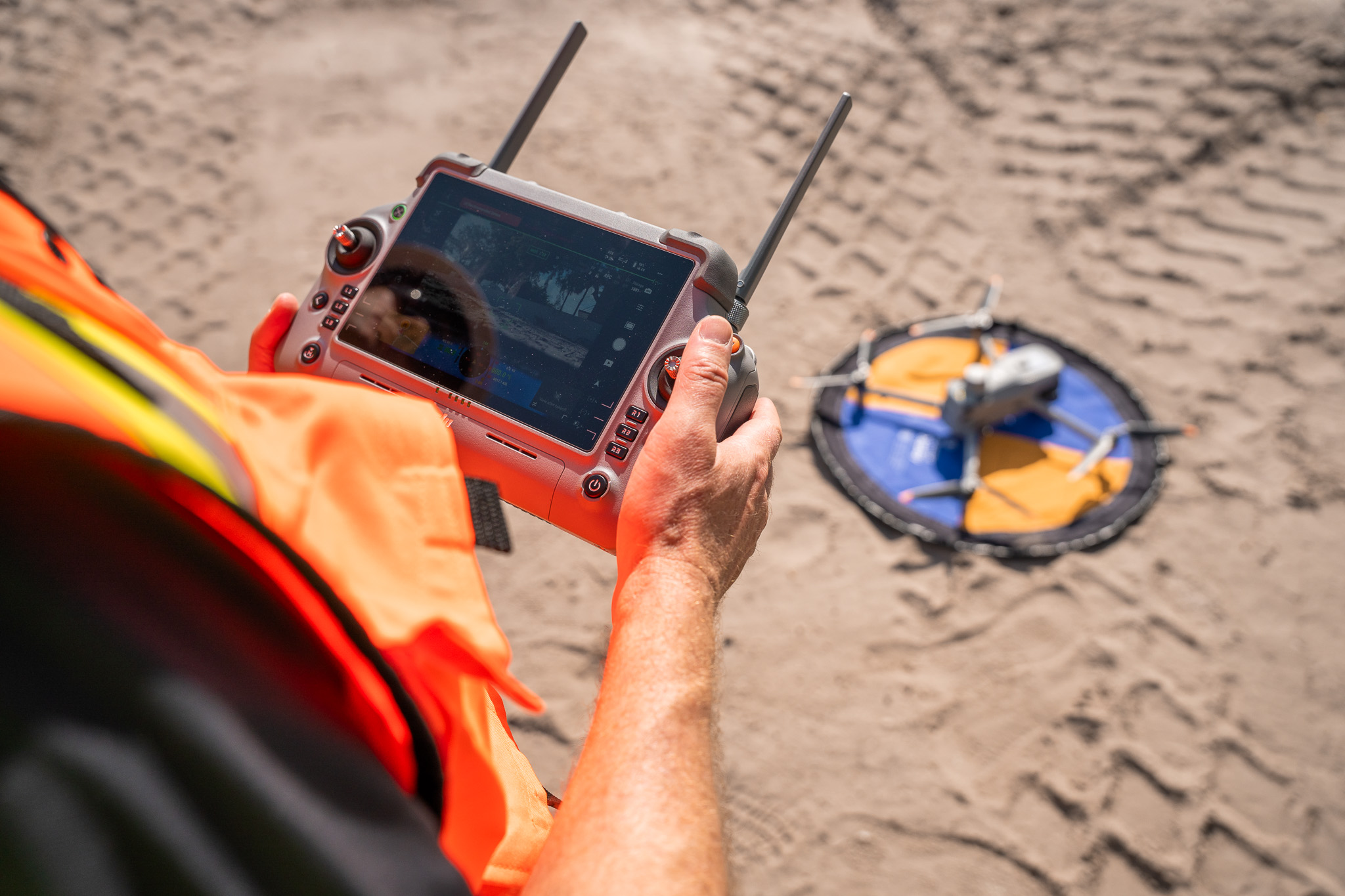
Automatic elevation calibration on RTK/PPK maps now anchors to the centroid of the processed camera locations. This update improves how we choose the calibration point for large or unusually shaped jobs, where a single reference location may not represent the full capture area well.
Customers flying 5 km+ maps with non-rectangular coverage will see the biggest benefit. Linear sites, irregular boundaries, and large mining or infrastructure jobs all benefit from a calibration point that better reflects where the cameras captured data.
Available to all DroneDeploy Aerial customers.
.png)
Preserve Compare-Mode annotation selection
Annotations stay visible on the right side of compare mode after a page refresh or when you follow a shared link to an Annotation Comparison view. Previously, refreshing the page or arriving via a shared link could cause the right-side annotation to drop out, forcing you to manually reselect every time.
Small change, big quality-of-life win for anyone who shares comparison links across teams or returns to the same view repeatedly.
Available to all DroneDeploy Aerial customers.
Smart Upload progress bar
Smart Uploader shows a progress bar instead of a spinner. Customers are uploading more data to bigger projects every quarter, and the spinner gave you no signal about whether your upload was minutes or hours away from done.
Now you can see exactly where your upload stands at any point, on any size upload.
Available to all DroneDeploy Aerial customers.
Accuracy badge updates
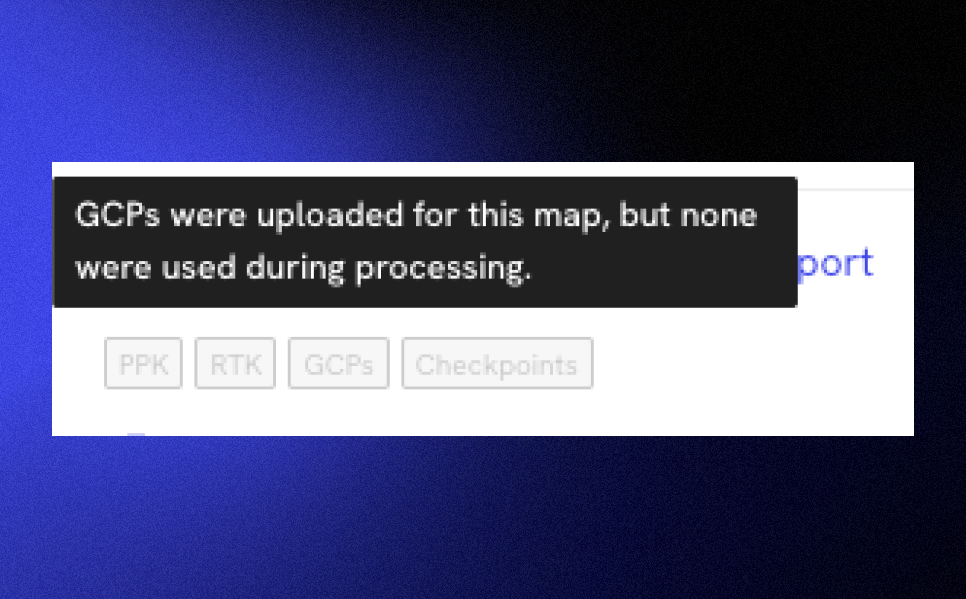
Accuracy badges reflect the GCPs and checkpoints that were actually used in processing, not just how many were uploaded. If any of your GCPs were skipped during processing, a warning surfaces directly on the badge.
Before this update, a badge could indicate high GCP coverage even when none of those GCPs were actually applied, giving false confidence in map accuracy. Now the badge is a more trustworthy signal.
Available to all DroneDeploy Aerial customers.
Aerial Pro
Preprocessed map preview
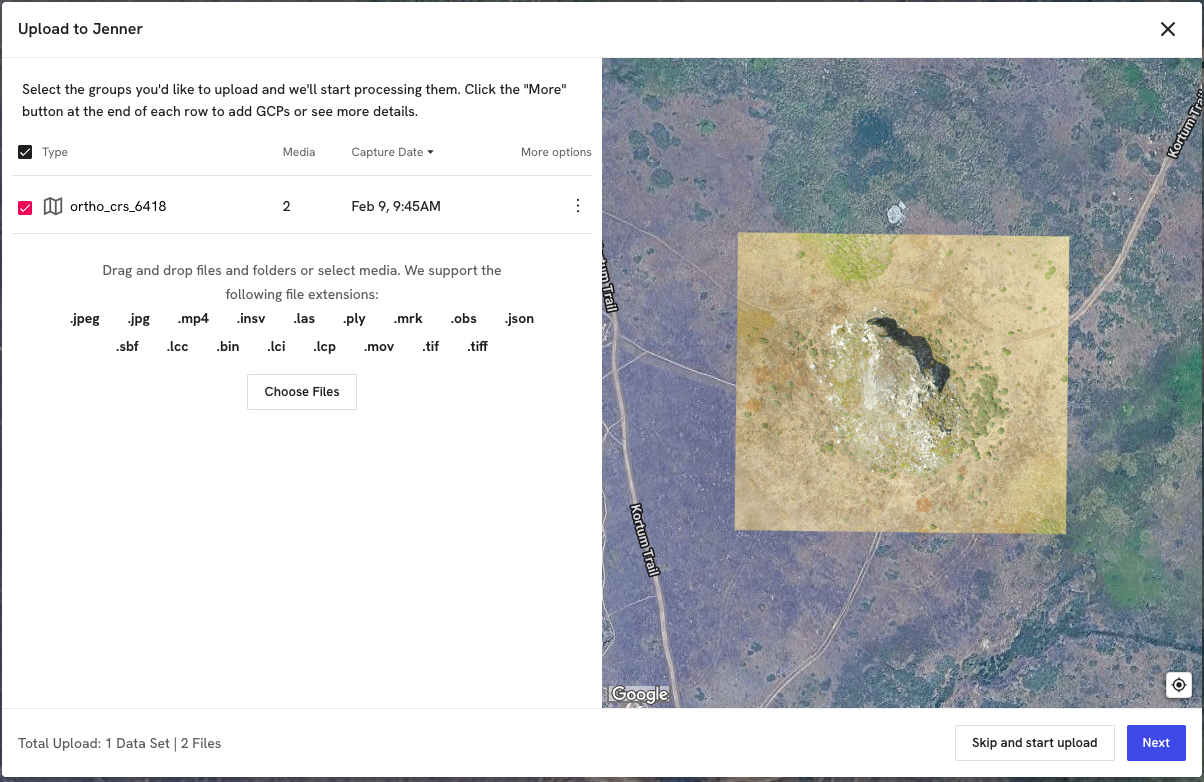
When uploading a preprocessed GeoTIFF, you'll see a full map preview instead of just file boundaries. This makes it easy to spot issues like missing alpha channels, which can cause maps to display with white or black backgrounds, before you commit to processing.
Customers using third-party processing pipelines that don't always set these values cleanly will save a round of rework on every problem upload.
Available to all customers with Aerial Pro.
.png)
DSM/DTM toggle now works against design surfaces
The "Include trees and other objects" toggle (DSM/DTM) in the Cut/Fill controls works when your comparison plan is a design surface. Previously it was greyed out in that scenario, which blocked the original ground vs. design workflow that civil engineers most often need.
This is one of the most requested fixes from our Aerial Pro customers, and unlocks more accurate Cut/Fill volumes.
Available to all customers with Aerial Pro.
Ground
BIM pre-alignment improvements
BIM alignment opens models correctly sized and oriented, locks to a top-down view during alignment, and includes a one-click view reset. A new guard also blocks invalid captures from being submitted, so an accidental misalignment can't slip through.
Before this update, models could open microscopic, tilted off-axis, or break the view mid-alignment with no way to recover short of starting over. Alignments now stay accurate and recoverable from start to finish.
Available to all DroneDeploy Ground customers.
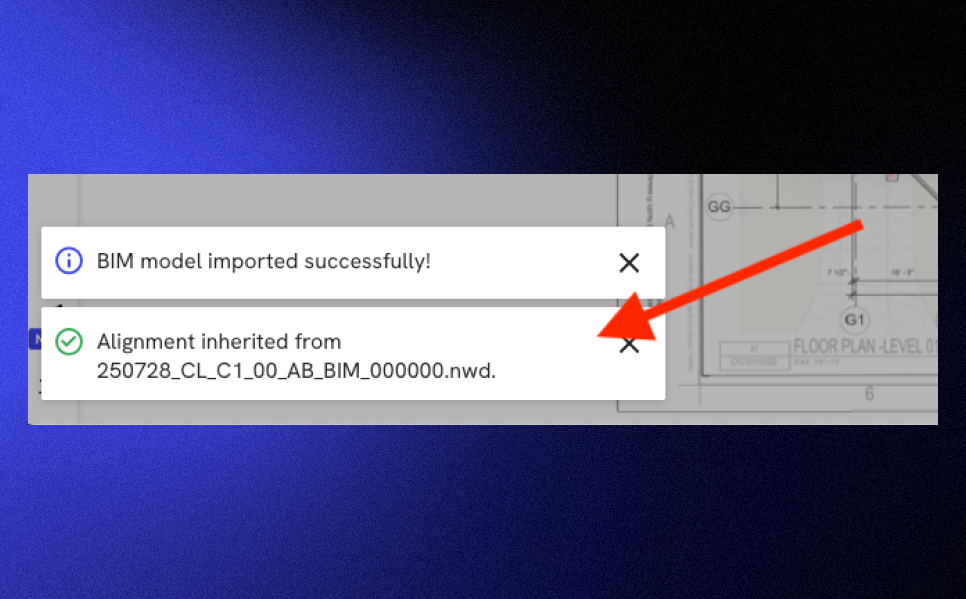
BIM alignment auto-inherits on new uploads
New BIM models uploaded to a project, from local disk or imported from Autodesk Forma, automatically inherit alignment from the project's default BIM model. A render-time correction also handles cases where the new model's geometry extents differ from the default, so revisions, sub-models, and Forma imports stay correctly aligned to your drawing without manual rework.
For customers running multiple models per project, this turns what used to be a per-upload re-alignment task into something that just works.
Available to all DroneDeploy Ground customers.
Ground Mobile
Import photos from camera roll
Pull photos from your device camera roll directly into capture mode. Place them under the crosshair, or let them snap to their own GPS metadata so photos taken outside the Ground app still make it onto the project at the right location.
This closes a daily dead-end for field users who took photos in their phone's camera (for speed, or because they were already mid-task) and previously had no way to attach them to a project location in the field.
Available to all DroneDeploy Ground customers.
Move unsynced media pins
Tap and hold any unsynced media pin or Walk start/end point to reposition it on a map or level. The new location saves locally and persists to the server once uploaded, so misplaced pins can be corrected without deleting and recapturing the media.
Until now, the only way to fix a misplaced pin was to delete the original and start over, losing the capture. This daily friction surfaced by customers is a thing of the past.
Available to all DroneDeploy Ground customers.
Map UI pin redesign
Redesigned map pins clearly distinguish between committed-to-project, queued-for-upload, and currently-selected states. The old markers were small and didn't differentiate well between states, making it hard to review captures in the field, especially for active teams reviewing their work mid-shift.
Now the status of every capture is legible at a glance, with no zooming in or guessing required.
Available to all DroneDeploy Ground customers.
What's next
These updates came directly from your feedback. Keep telling us what's slowing you down on site, and we'll keep showing up with fixes. The next Customer Appreciation Week is already on the calendar. We'll be announcing Ground and Ground Mobile product updates in this blog next week, so look out for an email update if you're a current customer.
.png)
FAQ


Ready to learn more?
Contact sales to see how DroneDeploy can give your teams the power to document and analyze your sites from the air and ground – all in one AI-powered platform.