How to find site inspection tools that field teams will actually use
.svg)

Quick Summary
Site inspection software replaces paper checklists with mobile apps that capture photos, notes and signatures during construction walkthroughs. The difference between software that gets used and software that gets abandoned comes down to how well it fits the way field crews already work. This guide covers what to look for when evaluating construction inspection apps and the common mistakes that lead to wasted investment.
Paper checklists get lost, photo folders turn into chaos. When a dispute lands on your desk, finding the right documentation takes longer than it should.
Site inspection software addresses this by digitizing walkthroughs into organized, searchable records. This guide covers what makes field teams actually adopt these tools, the features that matter and the mistakes that lead to wasted investment.
What is site inspection software
Site inspection software digitizes construction and safety walkthroughs by replacing paper forms with mobile applications. Tools like Procore and GoAudits let field teams capture real-time data, attach photos to specific locations and generate reports automatically. If you're exploring how reality capture fits into construction workflows, inspection software often serves as the starting point for teams looking to formalize documentation.
The core functions break into four categories:
- Capture: Photos, videos, signatures and notes collected in the field
- Organize: Records mapped to drawings or GPS coordinates by date
- Report: Automated generation of inspection documentation
- Track: Issue logging from identification through corrective action
Most construction inspection apps run on iOS and Android devices. Some platforms extend to tablets and desktop browsers for office-based review. This flexibility allows field crews to capture data on mobile while project managers review and analyze from the office.
What makes field teams adopt site inspection software
The gap between purchasing software and actually using it comes down to friction. Field crews abandon tools that slow them down or break when connectivity drops. The platforms that stick share a few characteristics that address these concerns directly.
Minimal steps from capture to record
Every additional tap between opening the app and completing documentation increases the chance someone skips it. The best apps reduce capture to three taps or fewer, compared to seven or more steps in legacy systems. This speed matters when superintendents document dozens of items during a single walkthrough.
Works offline and in low connectivity
Jobsites often sit in areas with unreliable cell service, whether rural locations, underground work or dense urban cores with signal interference. Field inspection software stores data locally and syncs when connectivity returns. Without offline mode, crews either skip documentation or waste time hunting for signal.
Fits existing workflows instead of replacing them
Teams already have inspection routines, and a foreman walking the site at 6 AM before crews arrive has a pattern. Software that gets adopted layers onto existing habits rather than demanding new ones. Integration with project management platforms like Procore or Autodesk means inspection data flows into systems teams already check daily.
Mobile-first design for jobsite conditions
Phones and tablets get used in dust, rain and direct sunlight. Large tap targets, readable screens outdoors and one-handed operation matter more than feature count. If the app requires precise tapping or squinting at small text, it gets abandoned quickly by field crews.
Core features of construction inspection software
Beyond adoption factors, the software itself handles specific functions that support documentation workflows. Here's what the category typically includes and how each feature contributes to better site records.
- Photo and video documentation: Visual evidence attached to specific locations
- Customizable checklists: Digital forms tailored to inspection type
- Issue tracking: Logging deficiencies through corrective action
- Location-based organization: Records mapped to drawings or site areas
- Automated reporting: Instant PDF generation from field data
Photo and video documentation
Visual evidence forms the backbone of any site inspection app. Photos get tagged to locations on drawings or maps, creating a searchable record.
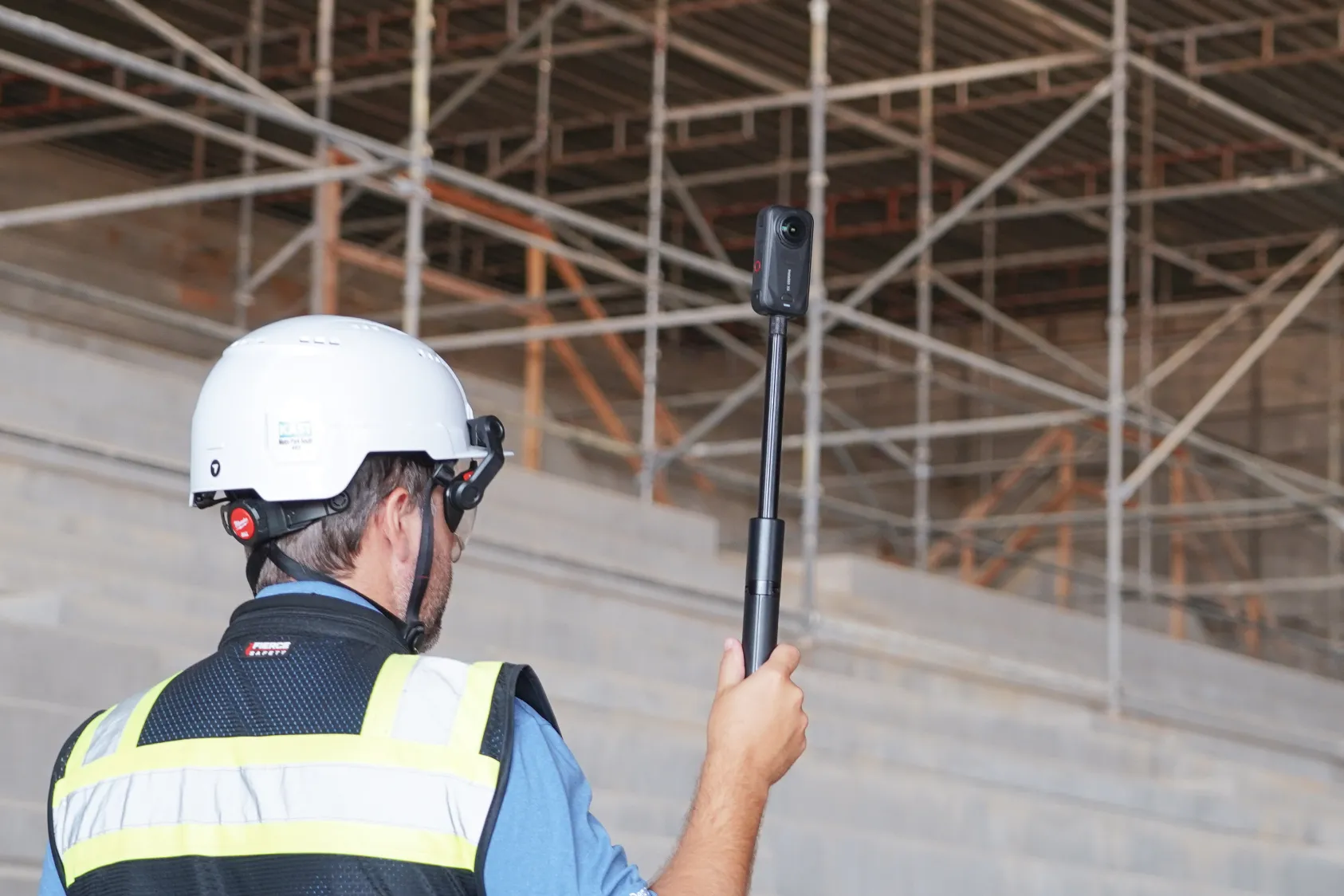
Some platforms support 360 cameras and drone imagery alongside standard phone photos, which expands coverage beyond what a single person captures during a walkthrough. See how construction photo management software turns progress photos into hard data.
Customizable inspection checklists
Digital checklists replace paper forms and can be configured by inspection type, whether safety walks, quality checks or compliance audits. Templates save setup time across projects. Most platforms include pre-built templates for common inspection types, with the option to customize fields and add conditional logic.
Issue tracking and resolution workflows
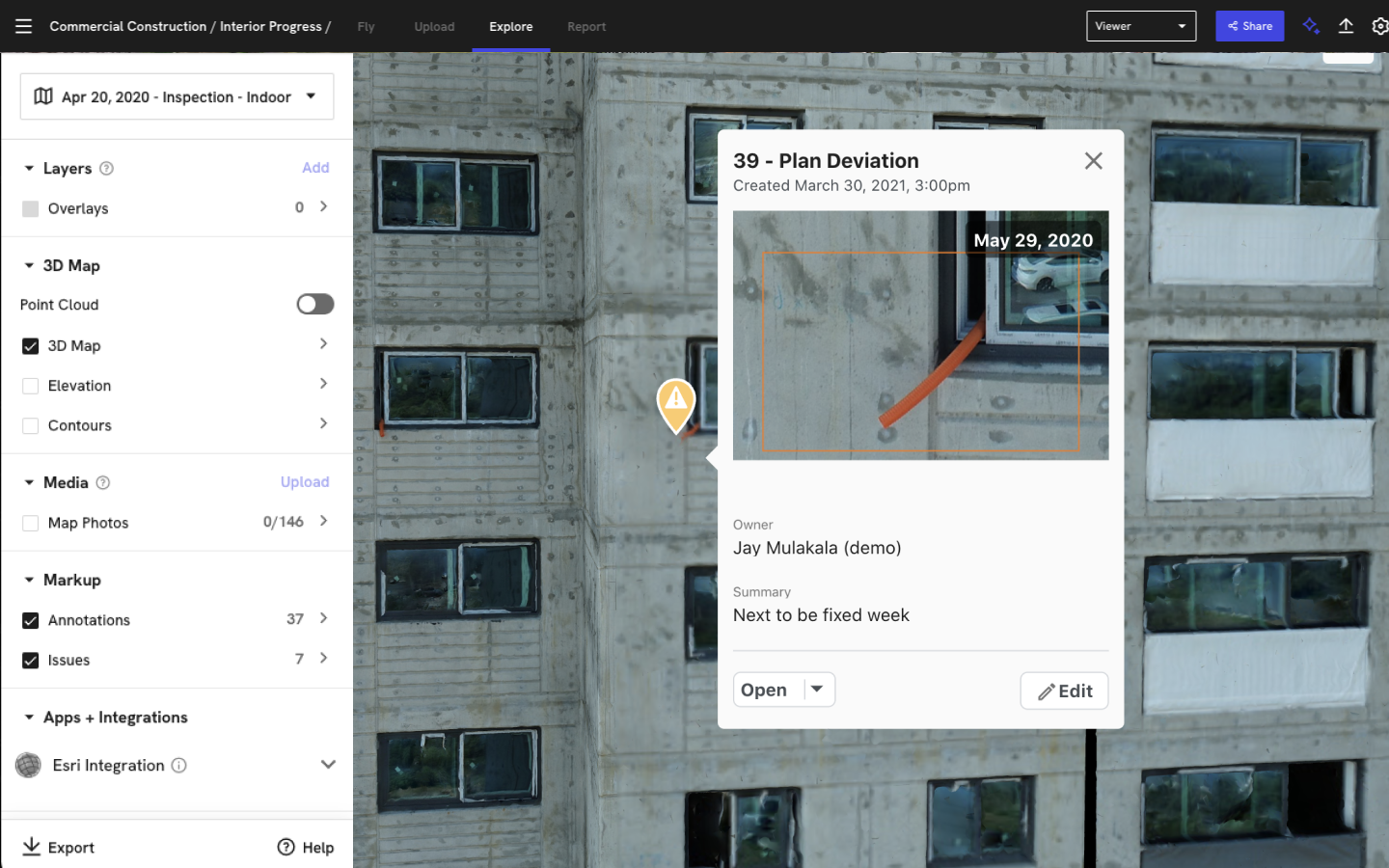
Field inspection software logs deficiencies, assigns responsibility and tracks items through correction. The record shows who found the issue, who was assigned, what action was taken and when resolution occurred. This audit trail proves valuable when disputes arise or when demonstrating compliance to owners.
Location-based organization
Records organized by where they were captured make retrieval faster than folder-based systems. Location-based organization means you can pull up every inspection in a specific area across the project timeline. This spatial context transforms how teams reference historical documentation.
How to evaluate field inspection software for your team
Comparing options requires looking beyond feature lists. The evaluation criteria that matter most relate to how the software performs under real jobsite conditions. The following factors help separate tools that get used from those that get abandoned.
Ease of use for non-technical crews
The people doing inspections are often superintendents and foremen, not IT staff. Evaluate whether the building inspection software can be learned in minutes without formal training. Ask vendors for a trial period and put the app in the hands of your least tech-comfortable field person.
Deployment speed across multiple sites
Some construction site inspection software requires extensive setup, custom configuration and IT involvement. Others work immediately with pre-built templates. If you manage multiple projects, ask how quickly a new site can go live and what resources are required for each deployment.
Support for different inspection types
A single platform handling safety walks, quality inspections and compliance audits reduces the number of apps field teams juggle. Evaluate whether the software supports your full range of inspection types or only addresses one category. Consolidating tools simplifies training and improves adoption across crews.
Safety and compliance capabilities
Construction safety inspection software addresses a specific subset of the broader category. Safety-focused tools support regulatory compliance and hazard documentation. These capabilities matter for teams working under strict OSHA requirements or client-mandated safety protocols.
Learn how you can automate safety inspections with Safety AI.
OSHA standards mapping
Some site inspection applications include templates aligned to OSHA 1910/1926 standards. Checklist items map directly to specific requirements, which helps crews document compliance during routine walks without memorizing regulation numbers. This alignment reduces the risk of missed items during audits.
Hazard identification and documentation
Field crews use construction safety inspection software to photograph and log hazards with location context. Learn more about what construction safety software looks like from the field.
The record includes what was found, where it was found and what corrective action was assigned. This documentation proves essential when reviewing incident patterns or responding to safety inquiries.
Audit trails for inspections
Compliance often requires proof of when inspections occurred and who performed them. Audit trails provide timestamps, user identification and any modifications made after initial capture. This level of detail satisfies most regulatory and contractual documentation requirements.
Inspection reporting features that reduce manual work
Reporting consumes significant time when done manually. Inspection reporting software automates the process by compiling field data into formatted documents. The following features reduce the hours spent on documentation after each walkthrough.
Automated report generation from field data
Reports compile automatically from captured photos, checklist responses and notes. No manual copying or formatting required. The report reflects exactly what was documented in the field, reducing errors and saving hours of administrative work.
Customizable templates by project type
Different projects require different report formats. Templates can be configured for specific clients, inspection types or regulatory requirements. Once set up, the format applies automatically to all inspections of that type, ensuring consistency across the project.
Shareable formats for owners and stakeholders
Reports export as PDFs or integrate directly with document management systems. Sharing with owners, architects and trade partners happens immediately after the inspection rather than days later. This speed improves communication and keeps all stakeholders aligned on current conditions.
How site inspection apps integrate with construction platforms
Teams already use project management tools for daily coordination. Inspection software that connects to existing systems reduces duplicate entry and keeps records in context. The following integration capabilities determine how well inspection data flows into your existing workflows.
Project management platform connections
Leading site inspection software connects with tools like Procore and Autodesk. Inspection findings flow into the same system where RFIs, submittals and daily logs live. This integration eliminates the need to check multiple platforms for project information.
BIM and design file compatibility
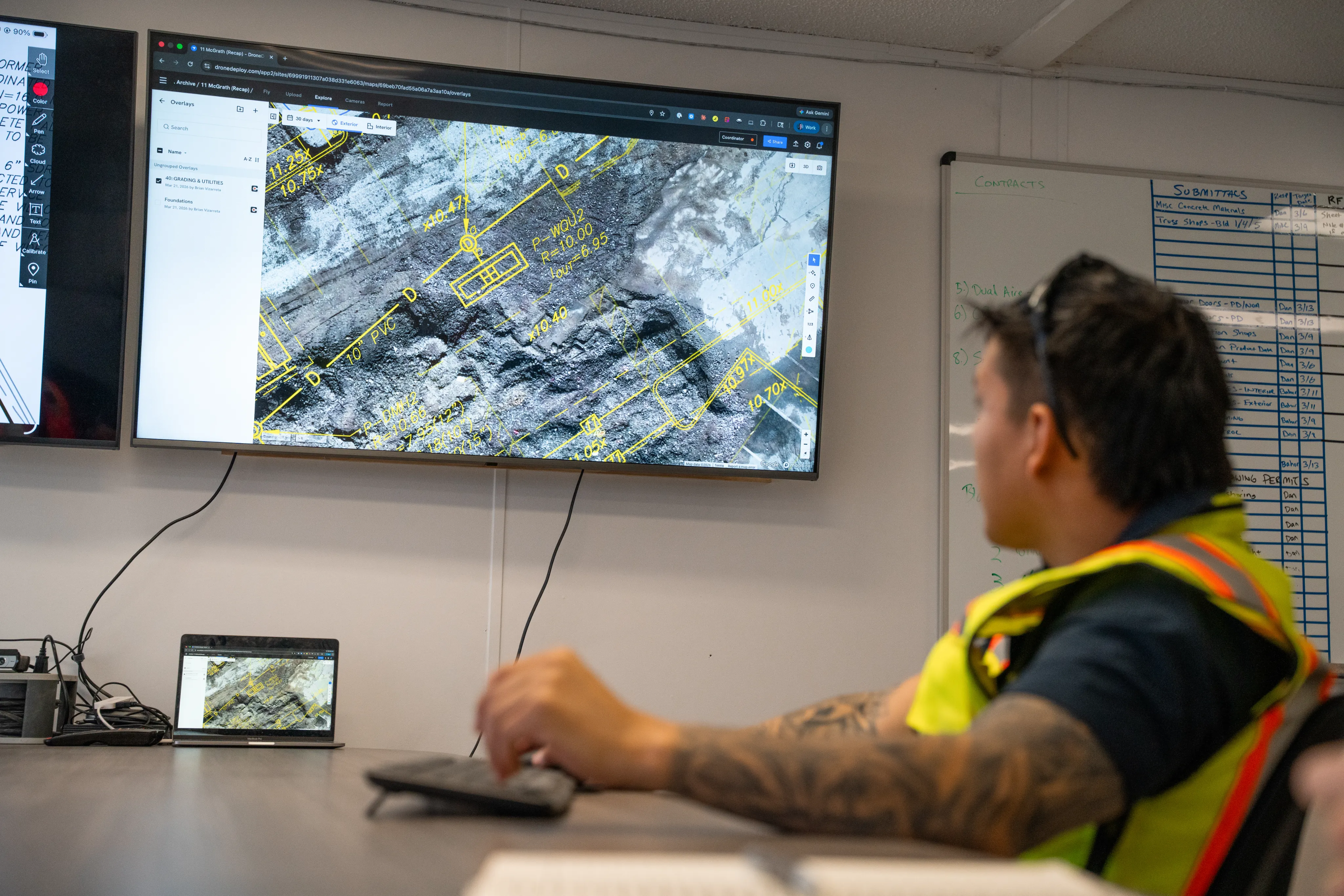
Some building inspection software allows overlay of inspection records onto BIM models or design drawings. Platforms like DroneDeploy combine aerial and ground-based capture with BIM overlay capabilities, creating a unified visual record that persists through project phases.
This integration connects field documentation to design intent. Explore how 360 site capture keeps construction documentation organized and accessible.
Common mistakes when choosing building inspection software
Selection pitfalls lead to abandoned software and wasted investment. The following mistakes appear frequently during the evaluation process. Avoiding them improves the chances of successful adoption.
1. Choosing based on feature count over usability
More features do not mean better adoption. Field teams abandon tools that are complicated to use regardless of capability. Focus on core functionality that matches how your crews actually work.
2. Ignoring offline functionality requirements
Assuming consistent connectivity on jobsites leads to frustrated crews and incomplete records. Test offline mode before committing to any platform. Have field crews try the app in areas with poor signal to verify it performs as expected.
3. Underestimating training and rollout
Even simple tools require some change management. Plan for how field teams will learn the new process and who will support them during the transition. Designating a champion on each project improves adoption rates.
4. Selecting tools that create more data silos
Inspection records that live in a separate system from other project documentation reduce their usefulness. Look for tools that connect to your existing tech stack. Integration ensures inspection data remains accessible alongside RFIs, submittals and daily logs.
Why visual documentation changes how site inspections work
Standard phone photos capture conditions, but they lack context. Visual documentation that maps to locations and persists over time creates a different kind of record. This contextual approach transforms how teams reference historical conditions.
360 cameras, drones and ground-based imagery extend coverage beyond what a single person captures during a walkthrough. The record shows not just what was inspected, but what surrounded it. When questions arise months later, the visual record provides reference that standard photos cannot match.
Next steps to evaluate construction site inspection software
1. Identify your inspection types and frequency
List what inspections you perform, whether safety walks, quality checks or compliance audits, and how often. Document the frequency and who currently performs each type. This inventory helps match software capabilities to actual needs.
2. Assess your current documentation gaps
Identify where paper checklists or disconnected photo folders are causing problems. Lost records, manual reporting and delayed issue resolution point to where software can help. Quantifying these gaps helps justify the investment and prioritize features.
3. Test with a pilot project
Try the software on one project before rolling out across the organization. Evaluate whether field teams actually use it under real conditions.
A successful pilot builds confidence and identifies any adjustments needed before wider deployment. Read about how virtual inspections transform progress tracking on active jobsites.
See how inspection software works on your site
.png)
FAQ
Most field inspection software includes offline mode that stores data locally and syncs automatically when connectivity returns. Before selecting a platform, test offline functionality under realistic conditions.
Deployment time varies by platform. Many construction inspection apps can be set up on a new project within hours using pre-built templates. More complex configurations with custom integrations take longer.
A site inspection app typically handles capture and basic reporting on a mobile device. A full platform includes cloud-based storage, analytics, integrations and multi-project management capabilities.
Many platforms support 360 cameras, drone imagery and thermal sensors in addition to standard photos. Visual documentation that combines multiple capture methods provides more comprehensive coverage of site conditions.
Related articles


Ready to learn more?
Contact sales to see how DroneDeploy can give your teams the power to document and analyze your sites from the air and ground – all in one AI-powered platform.