Holiday stocking stuffers: Small DroneDeploy updates that make a big difference
.svg)
Quick Summary
DroneDeploy's holiday update bundles seven customer-requested improvements, from clearer upload cards and actionable error messages to precise elevation controls and safer dock UI. Additional enhancements include infrared toggle for manual flights, walkthrough snapshots, and upgraded Insta360 stitching with lens-guard support.
Ho, ho, ho – the DroneDeploy elves have been busy again!
To close out the year, our product and engineering teams ran a focused Customer Appreciation Week sprint, taking direct requests from customers and turning them into a bundle of quality‑of‑life improvements across the platform. Think of these as holiday stocking stuffers: small, highly practical features you can start using right away to make your day in DroneDeploy just a little easier.
Every update below comes from feedback that was shared with support, customer success, and our product teams.
Stocking stuffer #1: Plan sort dates on upload cards
When you are managing multiple flights and re‑flights on busy projects, uploads can start to blur together. We have added a plan sort date to each upload card, so you get more context, at a glance, when searching for an upload to review or troubleshoot.
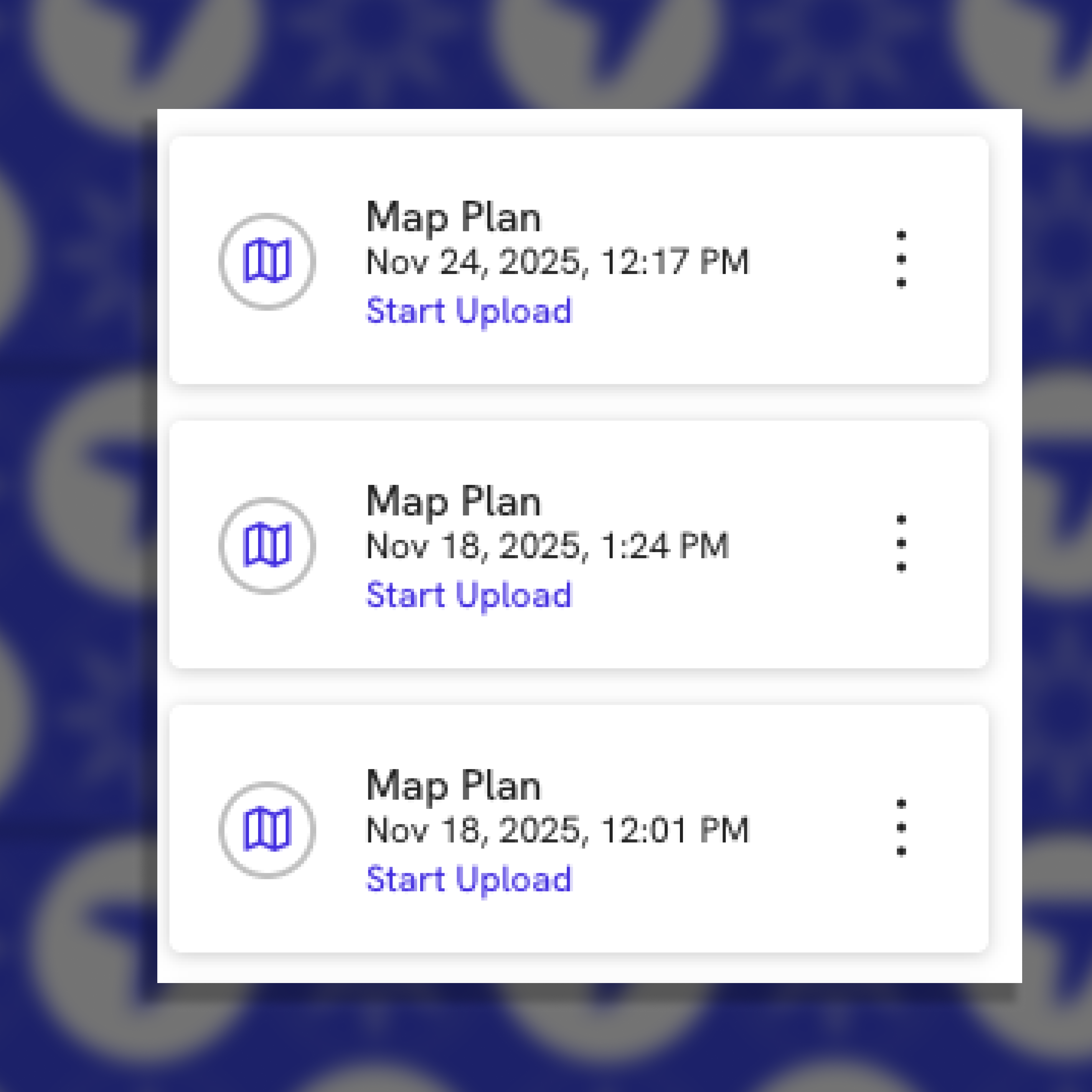
This is especially helpful when:
- You are validating that the latest flight actually made it into the correct project
- Support or engineering is walking through a specific upload with you during an escalation
Stocking stuffer #2: Actionable custom grid errors (so you can self‑serve)
Custom coordinate grids are powerful but complex, and the error messages could be too broad.
We have overhauled these messages so they are specific and actionable. When a custom grid fails, you will now see clear guidance for the most common issues:
- Incorrect or mismatched EPSG code
- Too few or too many points in the file
- Invalid longitude or latitude values
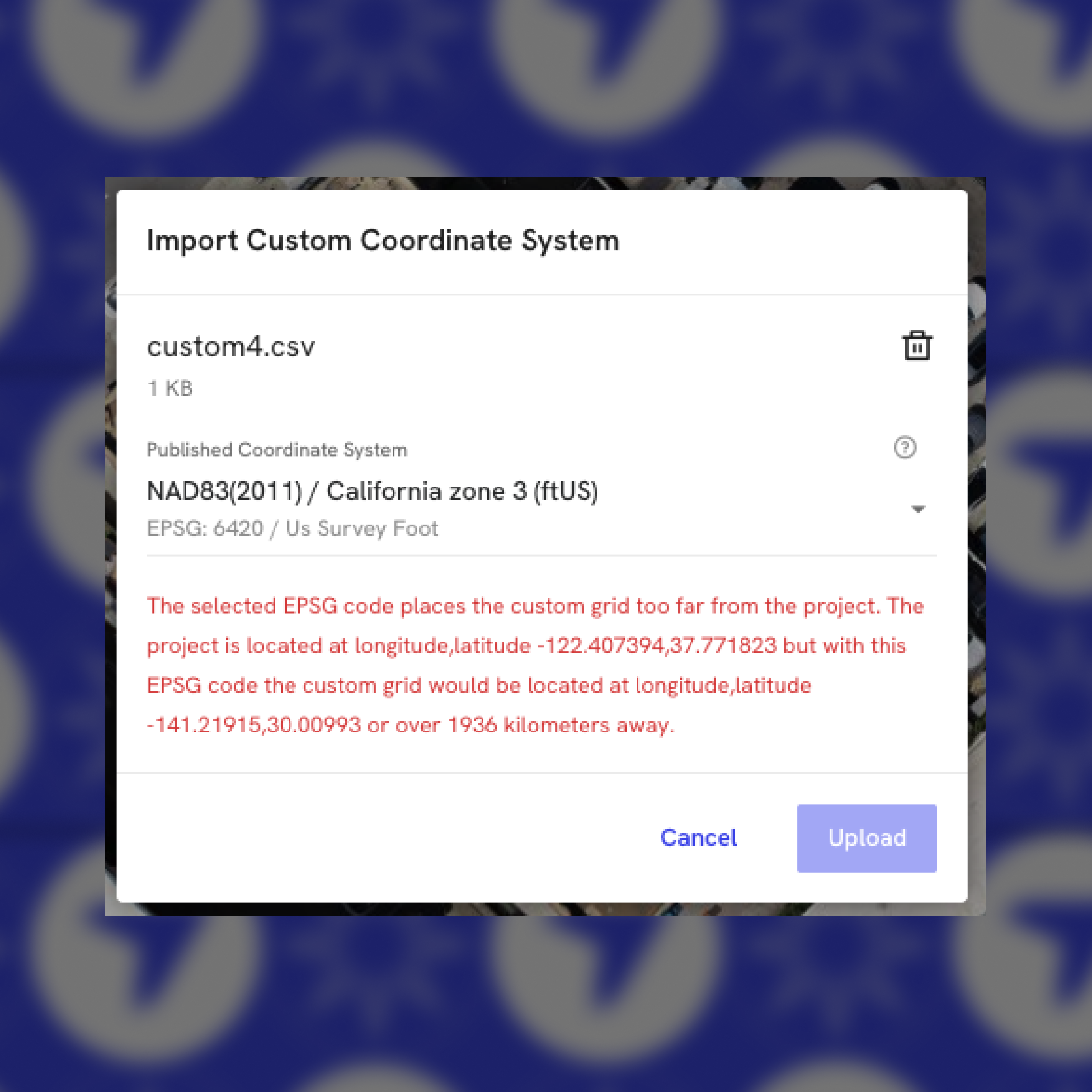
The goal: Faster fixes and more confidence when you bring site‑specific coordinate systems into DroneDeploy.
Stocking stuffer #3: Editable elevation range slider
Teams that use Elevation view need to set very specific value ranges. With the old slider, that often meant carefully nudging tiny handles – especially where the useful elevation band was quite narrow.
The Editable Elevation Range Slider update makes that control far more precise and efficient:
- Each handle’s text turns blue on hover, so you can clearly see which value you are about to edit
- Clicking the blue text turns it into an input box, where you can type an exact minimum or maximum elevation
- When the input box is focused, pressing the up/down arrow keys increases or decreases the value by a related step value, so you can fine‑tune without using the mouse
- When the slider handles are very close, both values can be edited via two input boxes that appear together
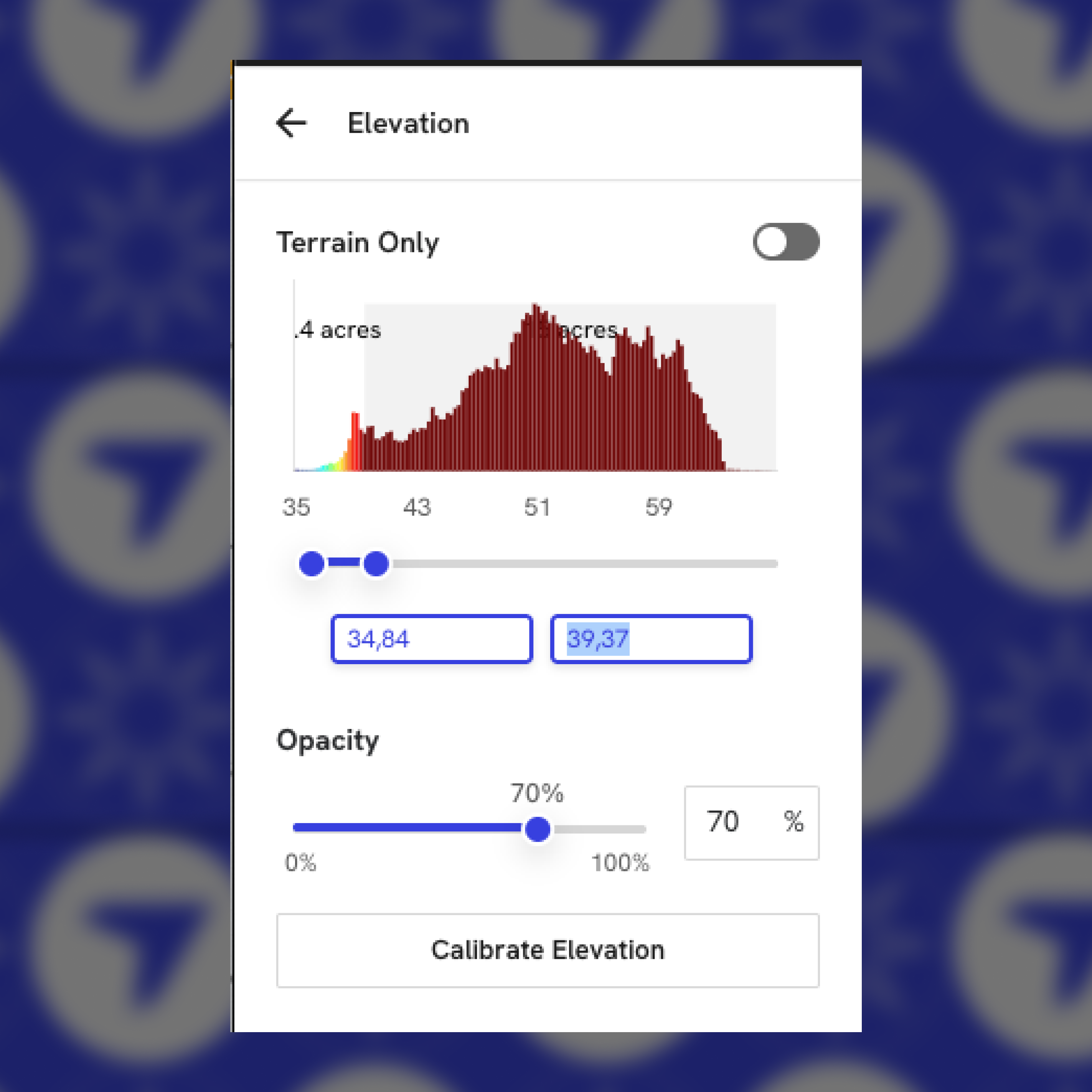
This was a long‑requested improvement from users who rely on the Elevation layer for detailed grading and volume analysis.
Stocking stuffer #4: Dock UI Improvements
Docked drone operations depend on clear, trustworthy flight controls. The new Dock UI Improvements focus on making the interface more intuitive for safer, reliable missions.
Key improvements include:
- RTH / Descend buttons correctly disable when the drone is not flying, reducing the risk of accidental emergency actions on the ground
- The battery icon updates based on charge level, improving the at‑a‑glance read on drone power
- Instantaneous tooltips on emergency RTH / Descend buttons help operators confirm what each button will do before they click it
- A debug warning has been removed from the preflight list, so the checklist now focuses only on signals that matter to operators
Together, these updates create a safer, easier-to-use experience for everyone who flies docked drones.
Stocking stuffer #5: Infrared Toggle for manual dock flights
Dock customers using infrared‑capable drones need to be able to control thermal capture in real time, not just accept a fixed configuration. The Infrared Toggle update delivers that control during manual flights.
Key improvements include:
- A new toggle flight control option to switch to the infrared lens on IR‑capable drones in manual mode
- Exposed infrared zoom capabilities in the UI, expanding manual flight options to more closely match what the hardware can do
This gives dock manual flight users more control over their media capture, especially for inspections and monitoring where thermal detail is critical.
Stocking stuffer #6: Walkthrough snapshots in DroneDeploy Ground
Sometimes the most effective way to communicate an issue or highlight progress is a single, well‑timed image from a walkthrough. The Walkthrough Snapshots update within the new Interior Explore view adds exactly that to DroneDeploy Ground.
The key improvement includes:
- A new Snapshot button directly in Walkthrough views
The addition of the Snapshot option in the Walkthrough modal proves a quick, lightweight way to capture and share what you are seeing in context. This is especially useful for VDC managers and anyone who needs to quickly share a specific vantage point from a walk with stakeholders, without pulling them into a full session.
Stocking stuffer #7: Insta360 stitcher update with lens‑guard support
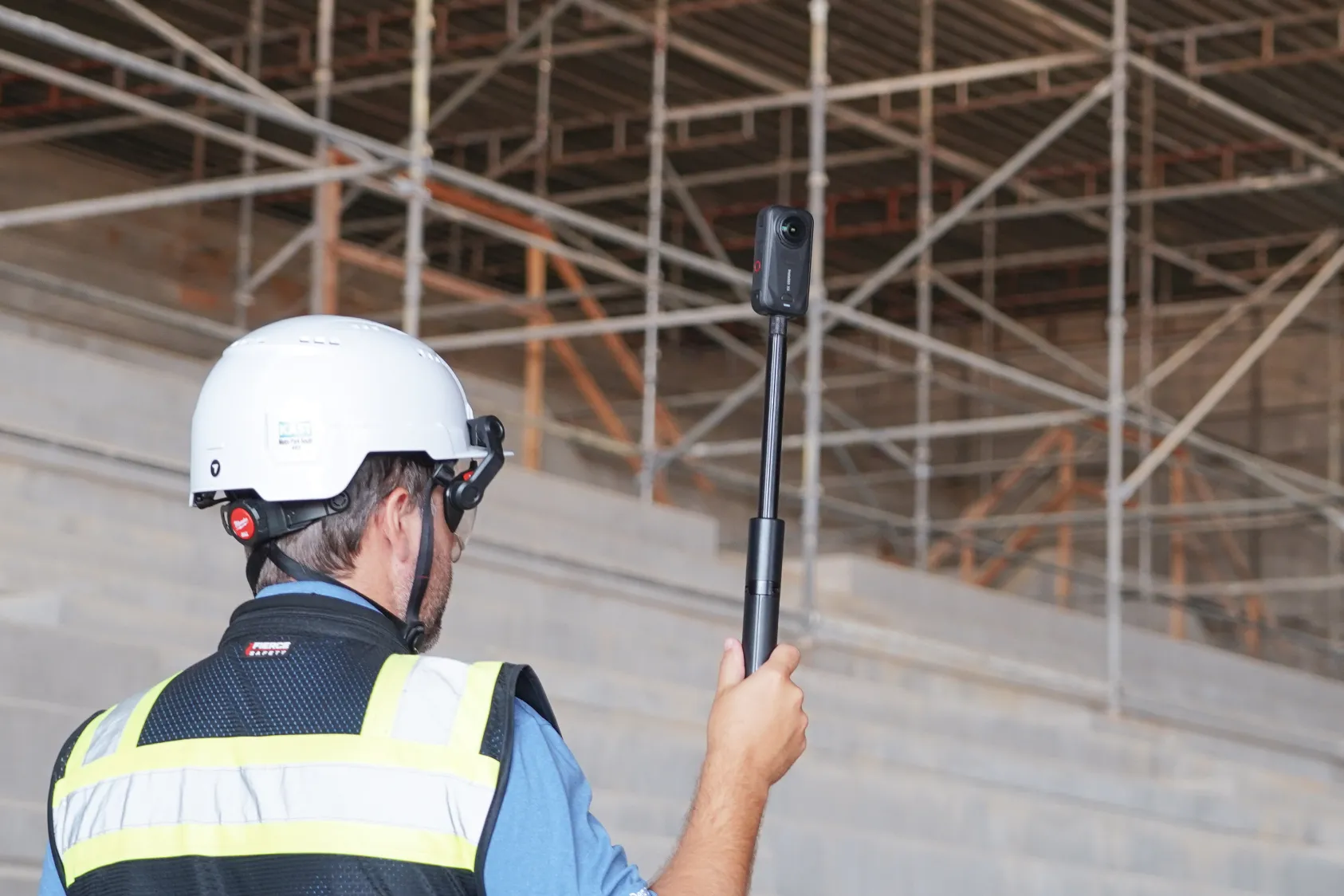
Customers capturing with Insta360 cameras, often with lens guards installed, need stitching that respects both image quality and hardware protection. The Insta Stitcher Update focuses on that balance.
Key improvements include:
- An upgrade to the latest Insta360 stitcher, which includes auto lens guard compensation for better results when lens guards are used
- Trial evaluation of the new Insta360 AI stitcher, which Insta360 is recommending as the preferred stitch type going forward
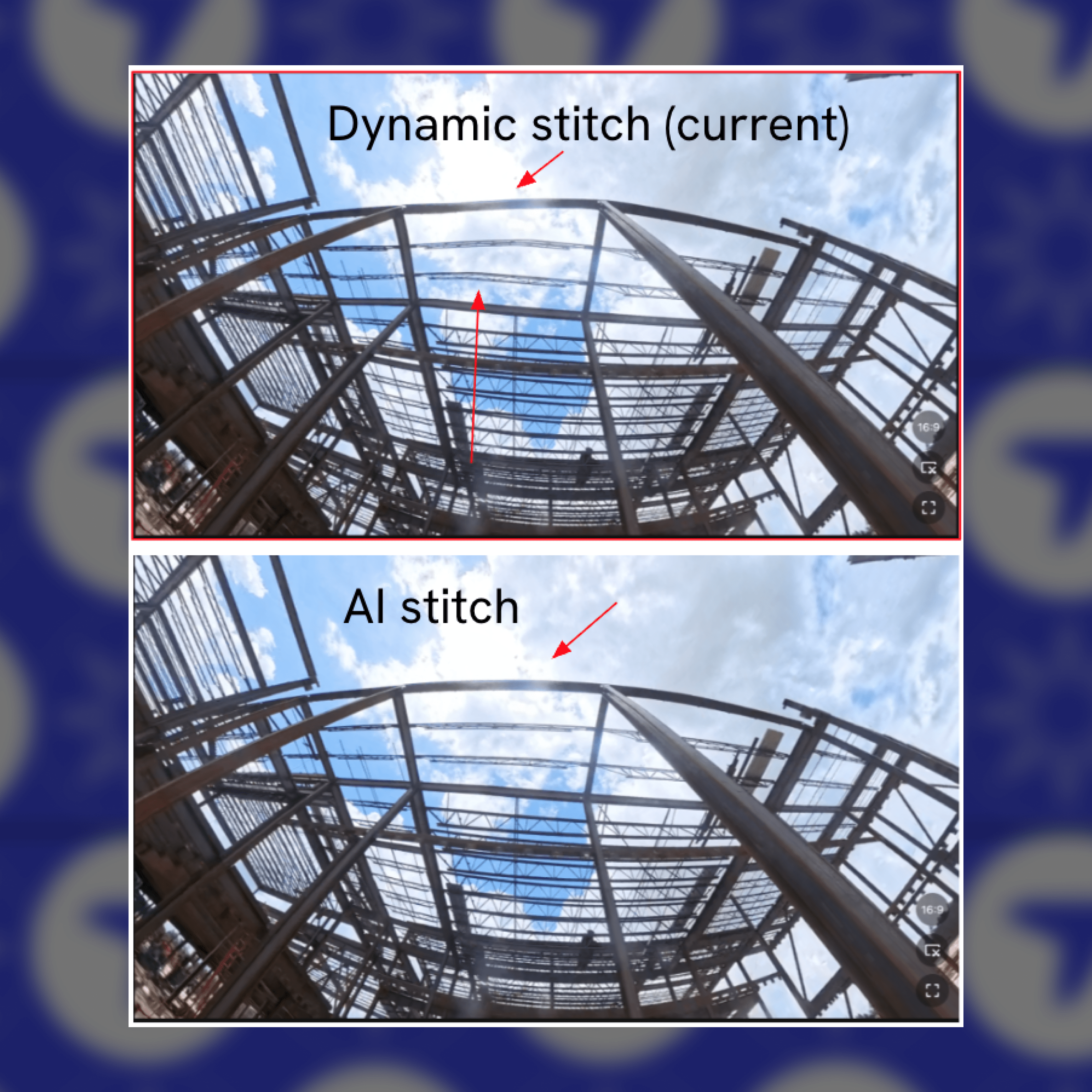
This helps any customer using lens guards improve geometric correctness and visual quality in their 360 content, while giving the DroneDeploy team a path to further improvements as we validate AI stitching in production.
From your wish list to our roadmap
Every one of these updates came from your requests – from Dock operators who wanted safer, clearer controls, to earthworks teams who asked for more precise elevation tools.
They may be small on their own, but together they add up to smoother days on site, fewer clicks in the office, and more confidence in the data you capture with DroneDeploy.
Ready to put these stocking stuffers to work? Log in to DroneDeploy, open a recent project, and try them today.
.png)
FAQ
Related articles
Ready to learn more?
Contact sales to see how DroneDeploy can give your teams the power to document and analyze your sites from the air and ground – all in one AI-powered platform.