The hidden cost of manual construction reports (and how software closes the gap)
.svg)

Quick Summary
Construction reporting software digitizes jobsite activity logs, safety incidents and labor hours into automated, real-time reports. Cloud-based platforms replace manual spreadsheets and scattered photo folders, keeping field crews and project managers aligned on daily progress. This article covers what manual reporting costs your projects, what features matter in field reporting tools and how to evaluate options for your team.
Every project generates paperwork. Daily logs, crew counts, safety observations, photos from the field. That documentation often lives in scattered folders and email threads instead of a system that makes it useful when you actually need it.
Manual reporting costs more than most teams realize, and the expense shows up in disputes, delayed decisions and records that disappear when people leave. This article covers what construction reporting software does, which features matter for field adoption and how to evaluate options for your team.
What manual construction reports actually cost your projects
Every GC and CM firm has a reporting process. Most processes just check a box instead of creating a defensible record.
Manual reporting typically looks like handwritten logs and spreadsheets updated at end of day. Photos sit in someone's camera roll with no connection to drawings or dates.
Teams using construction documentation platforms often discover how much time and money their old process was quietly consuming.
.jpg)
Time lost to paperwork and duplicate data entry
Superintendents filling out the same crew count in three different places is a familiar routine. Field notes go into a notebook, then get typed into a spreadsheet, then summarized again for the weekly report.
Each handoff introduces delay and the potential for transcription errors. That time adds up across every project in your portfolio.
Disputes without a defensible record
When a subcontractor disputes a backcharge or an owner questions whether work was complete before a milestone, the conversation comes down to documentation. Scattered photos without timestamps or location data rarely hold up. Construction reporting software tools help teams build defensible records that protect against costly disputes.
The team with the cleaner, more organized record typically wins the argument. Everyone else absorbs the cost.
Delayed decisions from outdated information
Daily logs that take two or three days to compile leave project managers making decisions based on outdated conditions. By the time leadership sees the report, the crew has already moved on. That lag creates blind spots, especially on fast-track projects where conditions change daily.
Institutional knowledge that walks out the door
When reports live in personal folders, on individual devices or in email threads, the record leaves when the person does. Project handover becomes a scramble to reconstruct what happened. Closeout documentation suffers because no one can find the photos from six months ago.
What construction reporting software does for field teams
Construction reporting software is a category of cloud-based tools that capture and organize daily field data in one place. Crews document conditions as they happen throughout the shift. The data syncs automatically.
Office teams and remote stakeholders see the same information without waiting for someone to compile and send it.
Core functions typically include:
- Daily logs: Structured capture of weather, crew counts, work completed and site conditions
- Time tracking: Labor hours tied to specific tasks or locations
- Safety documentation: Toolbox talks, incident reports and hazard observations
- Photo management: Images organized by date, location and tagged to drawings
The goal is a single source of truth that everyone can reference, whether on site or in the office.
.jpg)
Core features in construction field reporting software
Not every platform offers the same capabilities. When evaluating construction field reporting software, a few features tend to drive adoption and long-term value.
Daily field reports and progress logs
Look for structured templates that auto-populate weather data and allow voice-to-text notes. The best tools let a superintendent complete a daily report in a few minutes on their phone. The report is then available to the entire team immediately.
Photo and visual documentation management
Finding photos later depends on how they're organized. Construction field report software tags images by location and date, maps them to drawings and makes them searchable. Some platforms go further by combining ground-level photos with aerial imagery for a complete visual record.
Safety and compliance documentation
Toolbox talk tracking, incident reporting and hazard logging all belong in the same system as daily reports. Safety managers pull trend data across multiple jobsites from one dashboard. Construction safety software makes this cross-site visibility practical for field teams.
Integration with project management platforms
Integrated tools create a connected record across your tech stack. Reporting software that connects to Procore, Autodesk or your accounting system keeps data flowing without manual re-entry.
Mobile access for crews on site
Field adoption depends on usability. If the app is slow, requires too many clicks or doesn't work offline, crews won't use it. Look for mobile-first design and minimal training requirements.
.jpg)
How construction reporting software reduces risk and rework
Beyond daily efficiency, construction reporting software creates a record that protects your projects over time.
Audit trails that stand up in claims
Timestamped, geolocated records create defensible documentation. When a dispute arises months after the work was completed, you can pull up exactly what was installed, when and by whom. That record often determines who absorbs the cost.
Verified progress for faster pay applications
Visual records tied to milestones show work completion. That clarity accelerates billing cycles and improves cash flow.
Consistent records across projects and teams
Standardized reporting means leadership can compare performance across jobs and regions. You can identify which projects are falling behind on documentation before it becomes a problem at closeout.
Visual documentation and AI in construction field report software
Some platforms now combine visual capture with text-based logs. Some platforms now combine aerial and ground-level imagery with AI to generate structured reports automatically.
Aerial and ground capture for complete site records
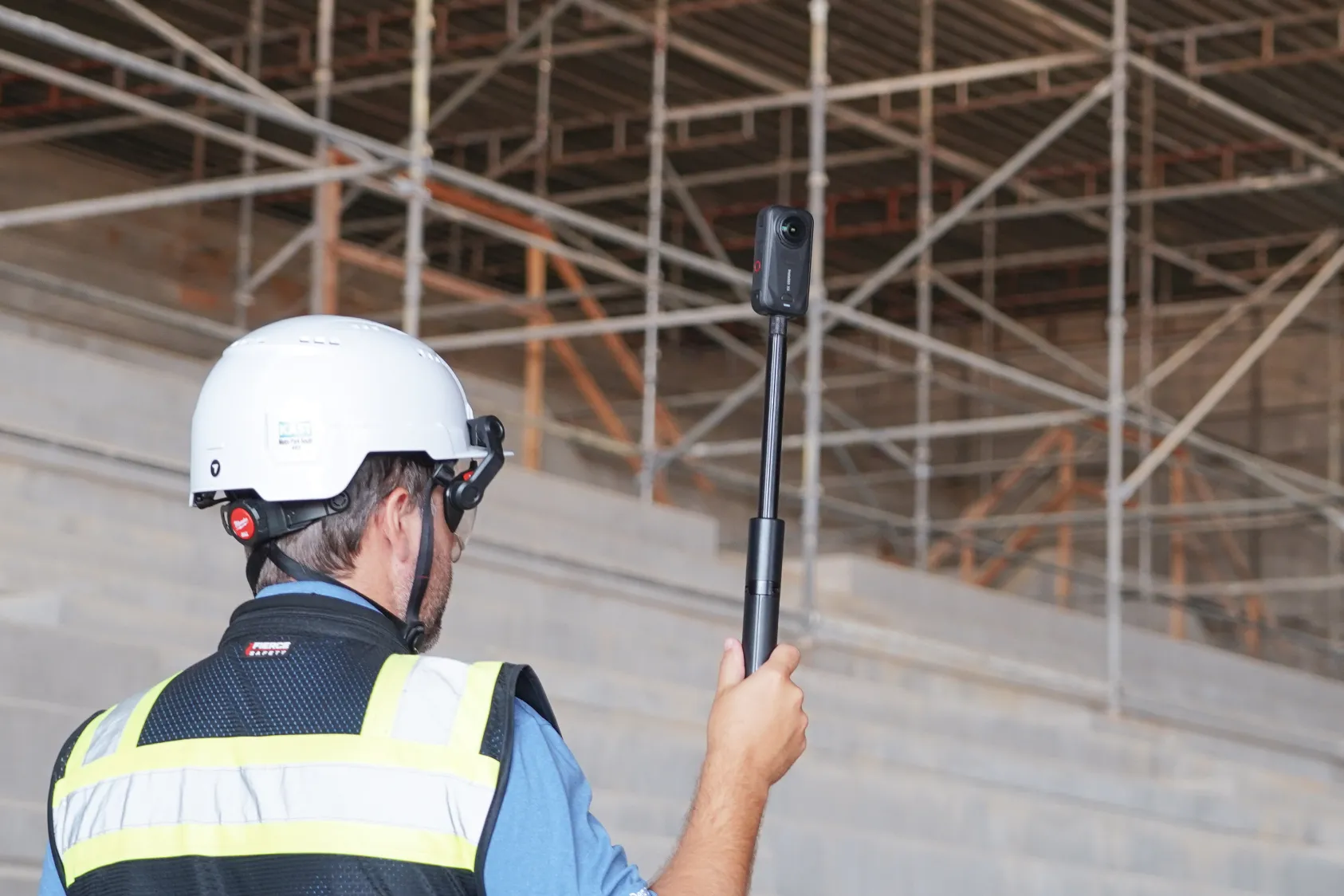
Drones and 360 cameras create a visual record of conditions that text alone cannot capture. Platforms like DroneDeploy unify aerial and ground imagery in one system, so you can see both the overall site and the details inside the building. Learn more about construction photo documentation best practices for complete site records.
See AI-powered reporting in action:
AI-generated reports from site imagery
The system surfaces findings automatically, including installed fixture counts and missing guardrails. AI can detect progress by trade, identify safety hazards and generate structured reports from routine site walks.
Comparing design files to installed conditions
Overlay functionality lets you compare CAD or BIM models against as-built imagery. Teams use this for quality verification before work gets covered. AI construction software can automate much of this comparison process.
How to evaluate construction field reporting software
Choosing the right platform depends on your team's size, existing tools and specific workflows. Here's a framework for evaluation:
- Field adoption: Will crews actually use it? Is training minimal?
- Integration: Does it connect to your existing PM and accounting tools?
- Scalability: Can it handle multiple projects and regions?
- Data ownership: Who owns your data? Can you export it?
- Security: Where is data stored? What compliance certifications exist?
Field adoption and ease of use
Apps that require extensive training see lower field adoption. Look for mobile-first design, offline capability and the ability to complete a report in under five minutes.
Integration with your existing tech stack
Reporting software that feeds data to your project management platform eliminates duplicate entry. Ask about native integrations and API availability.
Scalability across multiple projects
What works for one job should work for twenty. Ask about enterprise deployment, user management and standardization features.
Data security and ownership terms
Understand where data is stored, who can access it and what happens if you switch providers. Review export options and data portability terms before signing.
Moving field teams from manual reports to digital documentation
Adopting new software takes planning. Here's a practical path forward:
- Start with one project or one crew to pilot the software
- Identify a field champion who will model usage for others
- Set clear expectations for daily report completion
- Review reports weekly with the team to reinforce the habit
- Expand to additional projects once workflows are established
The teams that succeed with construction reporting software treat it as a workflow change alongside the tool purchase.
Turn every site visit into a permanent record
Construction reporting software creates a visual and written record that persists from preconstruction through closeout. Daily logs, photos and safety documentation stay in one place for the team to reference.
Platforms that combine daily field reports with aerial and ground-level imagery give you a complete picture of conditions as they change. Teams reference that record during coordination meetings, dispute discussions and project handover.
Book a demo to see how DroneDeploy supports construction field reporting with visual documentation and AI.
.png)
FAQ
Construction reporting software captures and organizes daily field data including logs, photos and safety incidents. Project management software covers scheduling, budgeting and document control. Many teams use both, with reporting data feeding into the PM platform.
Most cloud-based construction field reporting software can be deployed within a few days to a week, with basic training completed in a single session. Field adoption typically takes longer than technical setup.
Many construction reporting platforms allow guest or limited access for trade partners so they can view relevant reports and upload their own documentation. Permission settings control user access levels for viewing and editing.
Before selecting a platform, confirm that you can export all data including photos, logs and reports in standard formats. Data portability terms vary by vendor.
Related articles

Ready to learn more?
Contact sales to see how DroneDeploy can give your teams the power to document and analyze your sites from the air and ground – all in one AI-powered platform.